New Case Study:   How Kitabisa Scales Unpredictable Donation Traffic Reliably with Kedify Arrow icon

What’s
Autoscaling?

“Plain English” vs. “Engineer Speak”

Autoscaling keeps capacity matched to demand.

When traffic rises, capacity turns up. When demand falls, unused capacity goes away.

The goal is simple: keep the app fast while the cloud bill stays controlled.

Why it matters

  • Too much capacity wastes money; too little capacity creates latency and outages.
  • Good autoscaling keeps performance and spend moving with real demand.
Engineer Speak

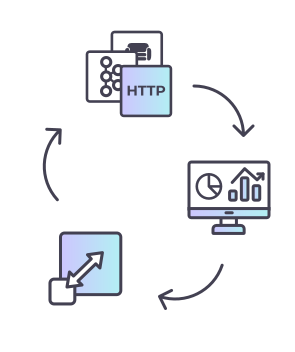
Signal-driven autoscaling for Kubernetes workloads.

Use traffic, queue, OpenTelemetry, GPU, and resource signals to scale replicas.

Then right-size CPU and memory requests across clusters so capacity follows real demand.

Why it matters

  • Reduce manual HPA tuning while cutting idle capacity by 30-40%.
  • Pair scaling events with FinOps views so saved CPU, memory, pod-hours, node-hours, and GPU capacity are visible.

Learn more in “Plain English”

Autoscaling & Kubernetes

Why it’s harder than it looks

Kubernetes gives teams the primitives, but production autoscaling still depends on fast signals, sane resource requests, fleet-level controls, and evidence that spend actually went down.

01

Signal delay

Scrape intervals & stale metrics

Prometheus, Datadog, and HPA loops often react after demand has already changed, which can create lag during bursts.

02

Fleet control

Multi-cluster coordination

Clusters scale independently unless metrics, guardrails, placement, and failover are coordinated across the fleet.

03

Specialized load

GPU & AI workloads

GPU capacity is expensive, and CPU is a poor proxy for inference queues, model pressure, or accelerator utilization.

04

Enterprise ops

Security & compliance

Regulated platforms need hardened images, FIPS-ready builds, audit evidence, and support around the autoscaling layer.

05

Cost proof

Right-sizing & FinOps

Autoscaling needs CPU and memory recommendations plus saved-capacity evidence, or teams cannot prove which changes reduced spend.

This is why Kedify connects live workload signals, right-sizing recommendations, autoscaling action, fleet coordination, and FinOps reporting in one control loop.

Autoscaling dynamics

Real-time signals beat delayed reactions

CPU and memory help, but they often lag. Better autoscaling uses live demand, resource fit, and cost evidence in one feedback loop.

Delayed loop

CPU and memory show pressure late

Sampled resource metrics often arrive after requests are already queuing.

Real-time loop

Demand signals shorten the path

HTTP, queue, OTel, GPU, and custom metrics react closer to live pressure.

Cost loop

Right-sizing keeps scale efficient

Realistic requests plus FinOps views show whether capacity savings reached spend.

Comparison of delayed resource-based scaling and event-driven autoscaling response

Trusted by Teams Managing $1M–$20M+ in Cloud Spend

"We haven't touched our scaling config in months, and our bills dropped."

Surag Mungekar, CISO, Rupert

Surag Mungekar
screenshot of roi calculator

What could you save?

Enter your current monthly cloud spend to see potential savings in seconds

Ready to see autoscaling in action?